 TakeBackAds
Spent hours setting up ads and still unsure what they brought in?
Run your own Google and Meta ads.
Create and schedule an ad, see what your budget delivered, and decide what to try next.
No account needed for the demo. Sign in to create a live campaign.
- Lead forms
- 22
- Ad spend
- £479.00
- 16–22 Nov
- 22
- 9–15 Nov
- 24
Take back control of your ads.
Customers kept telling us that setting up ads took too long and the results were hard to make sense of. We built TakeBackAds with them so small business owners could do both themselves.
Your accounts. You approve every ad.
Launch
Get your ad out the door.
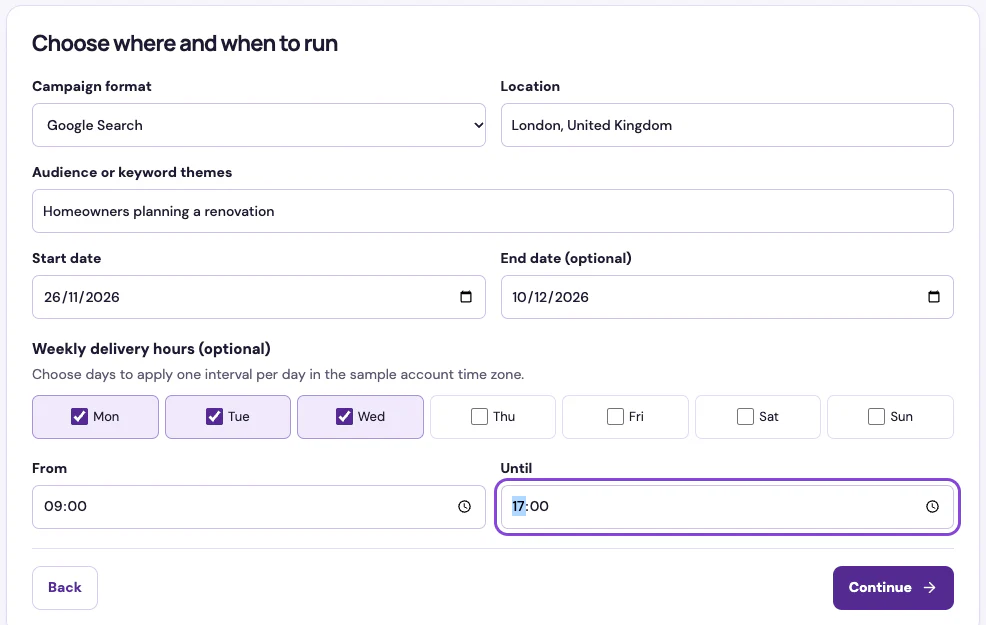
Start with what you sell and who you want to reach. The guided builder takes you through targeting, budget and copy for a Google Search or Facebook Feed ad. Preview the ad, then approve it to go live now or schedule it for later.
- Set a budget and delivery dates in the same flow.
- Choose days and hours for supported Google Search campaigns.
- Check the campaign’s launch status after you approve it.
Review
Know where your money went.
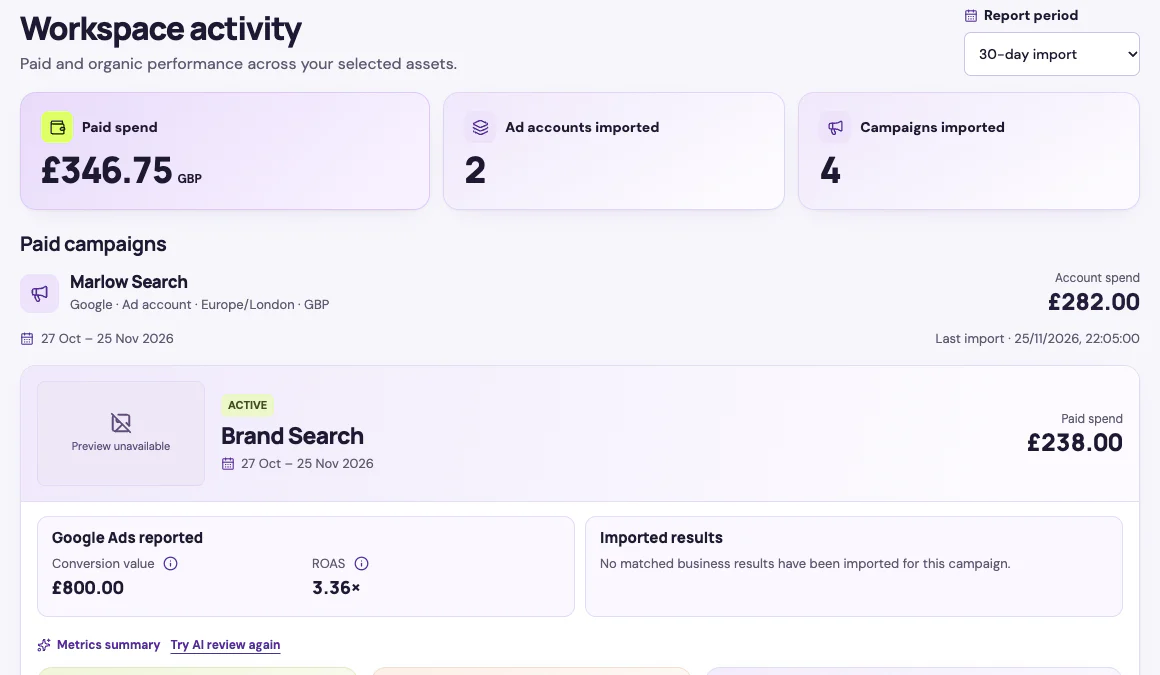
Open one dashboard for the Google and Meta accounts you connect. See spend and reported results by campaign, down to the figures each platform counted. Start with the weekly review or check the last complete day or month.
- See which campaigns used your budget.
- Check the results that matter to you, from enquiries to sales.
- Spot a reporting gap before you make a decision on spend.
Improve
Make the next campaign better.
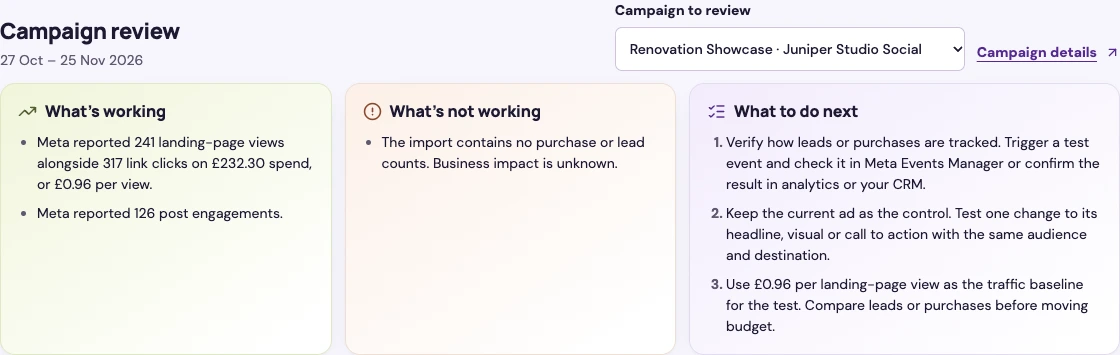
An AI-assisted review uses your campaign data to explain what worked, what the numbers can’t tell you yet and what to try next. You decide what to change.
- Decide what to keep. See which results support keeping the campaign, and check the numbers behind the suggestion.
- Know what to check before spending more. Spot gaps in tracking and compare reported results with orders or enquiries your business recorded.
- Choose what to test next. Try one change, such as a new headline or offer, then use your next review to see whether it helped.
See it in action.
Watch how to get a draft ready, see where your budget went and check what the campaign brought in.
Build and schedule an ad
Follow an ad draft from goal to ad preview. Recorded on an earlier version of TakeBackAds.
Review a week of ads
See how to go from total spend to the results Google and Meta reported for individual campaigns.
Check what the ads brought in
Match a Shopify CSV export to a campaign and see the store’s orders and net sales alongside Meta’s figures.
What it costs
One workspace includes three seats.
£99 per workspace per month
Common questions
Can I publish and schedule from TakeBackAds?
Yes. Connect your Google Ads or Meta account with publishing access, create a Google Search or Facebook Feed ad and approve it. You can publish immediately or choose a future start. Google and Meta review your ads before they can run.
Do I need Google and Meta to get started?
You can start with either platform. Connect the account you want to run ads from. To look around before connecting an account, try the demo.
Can I use this without Shopify?
Yes. You can review Google or Meta campaigns with the ad data you already have. If you have a store or CRM export, you can upload a CSV to compare orders, revenue or leads with the figures reported by your ad platform.
Why do my store and ad platform show different results?
Your store and ad platform can use different rules to give a campaign credit for a sale or lead. TakeBackAds shows those numbers by source so you can see what each one measured.
Your next ad is yours to run.
Pick a goal, set a budget, and build an ad you’re ready to put your name on.